Start with a still photo of a bottle and decide what movement would help someone buy it. A slow push toward the label answers “What is this?” A moving shadow suggests the mood of a fragrance. A full turn would promise a view of the back that your single photograph cannot supply.
Choose a movement your photograph can support
- For a label or fabric detail, use a modest crop and push in. You can do this directly in a video editor.
- For atmosphere, animate the background while keeping the original product on a separate layer.
- For an opening lid, a pouring shot or a full rotation, capture that action or supply additional reference views. A guessed hinge can make a real product look defective.
Prepare the reference before generating motion
Use the sharpest original you have permission to publish. Leave space in the direction the camera will travel. Mark three features you need to preserve, such as the cap seam, the number of label lines and the shoulder of the bottle. These become your acceptance test for the result.
Build a five-second first cut
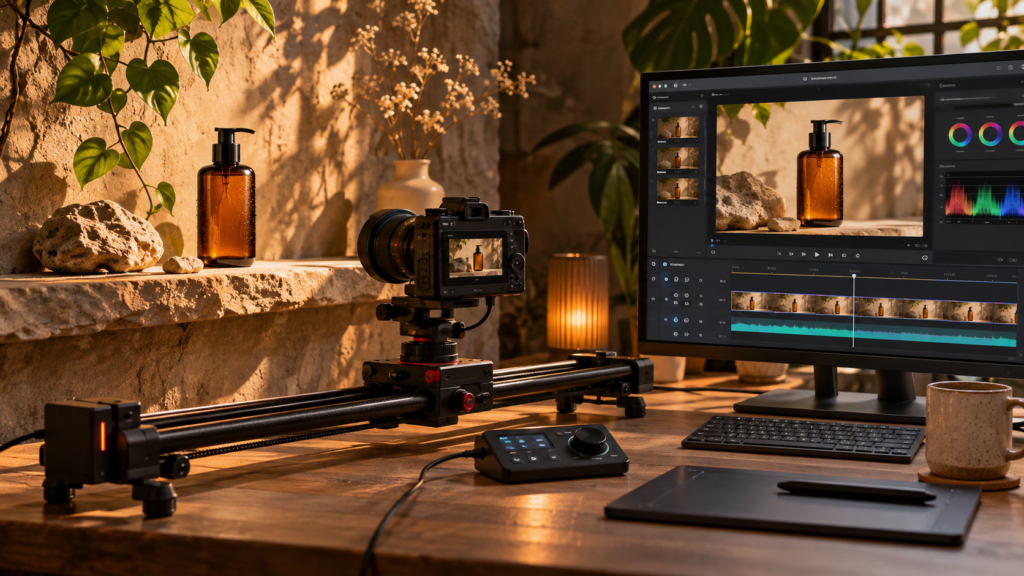
For a sample amber bottle on a stone shelf, start on a still frame long enough to recognise the silhouette. Push toward the label, then pause before the crop cuts off the brand name. Add any promotional text in the editor so it stays legible.
A motion prompt to adapt
Use the supplied photograph as the opening frame. Move the camera slowly toward the amber bottle. Keep the bottle upright and centred, preserve the cap seam and printed label, and let a soft window reflection travel across the shelf. End with the entire label visible.Match the edit to what the shopper needs to see
| What the viewer needs | First cut to try | Accept the cut when |
|---|---|---|
| Read a label | Hold the still for a beat, then push in slowly | The label is legible on a phone and the cap stays the same shape |
| See a material | Cut from the full product to a genuine detail photo | The texture and colour match the source in both shots |
| See how it works | Film the action and cut it beside the still | The clip shows the real mechanism and final result |
Prompt for movement behind a locked product
Use my uploaded [product] photo as the opening reference. Keep the original product still and centred. Preserve [logo, label, shape and finish] from first frame to last. In the background only, let a soft band of window light move slowly from [direction] across [surface]. Use a fixed camera and one continuous shot. Leave the lower part of the frame clear for a caption added during editing.Prompt for a shot plan using two real photos
Build a five-second vertical shot plan from my two source images: [wide image] and [real detail image]. Start on the wide image, cut to the detail, and finish on a readable hold. Give the start and end time of each beat, the crop, and the exact detail the viewer should notice. Use only views already in the photos. Keep any caption short enough to read in the final hold.For a real first pass, build the wide shot and detail with simple crops in your editor. Keep that version beside the generated clip. If motion changes the lettering, removes a clasp or invents a reflection that looks like a new feature, keep the crop edit and use the generated material as background atmosphere only.
Watch the cap while the camera moves
Freeze the opening, middle and final frames beside the source. Does the cap change width? Do letters turn into new words? If the only good moment lasts two seconds, trim to those two seconds. If the product changes shape throughout, return to the original still and animate the crop instead.
Play the export on a phone with sound off. Check the label at actual viewing size and the final frame underneath the platform controls. For a sequence with more than one shot, plan the cuts with our storyboard guide.
Frequently asked questions
Can I make a short product video from one photo?
Yes. A gentle push-in, an animated shadow or a background change can work from one view. For a rotation or an opening lid, supply extra views or film the real action so viewers can see the actual product.
What should stay fixed in an image-to-video prompt?
Name the features the customer needs to recognize, such as label text, colour, seams and the product outline. Compare the opening, middle and closing frames against the original before exporting.