
You open a long email and read it twice.
You still can’t tell what the sender wants.
You ask AI for help. It gives you an even longer answer.
Now you’ve got two things to read.
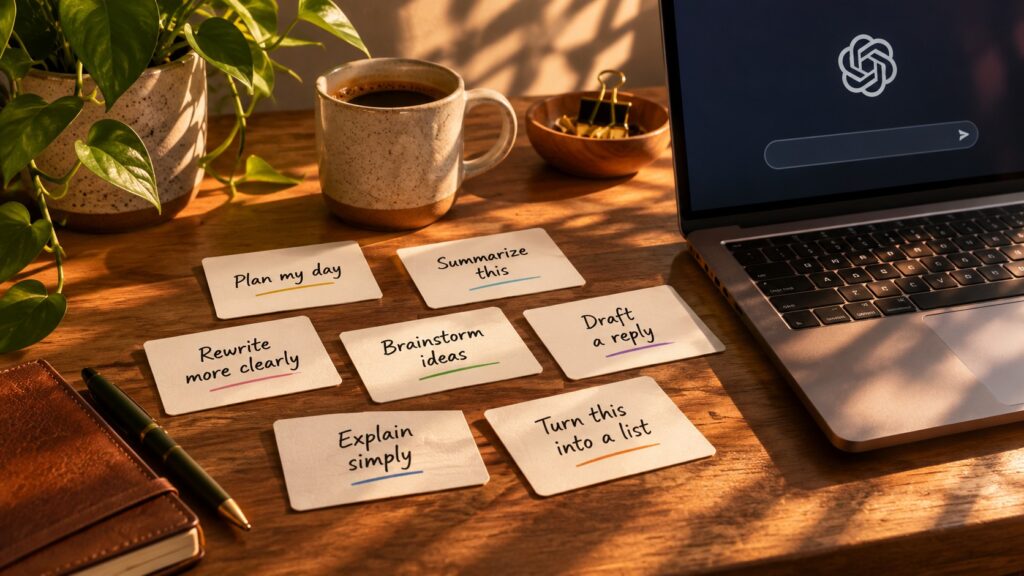
ChatGPT Short Codes can help you ask for something clearer, faster, and more useful.
But here’s what most cheat sheets leave out.
The words after the code matter more than the slash itself.
The quick answer
ChatGPT short codes are brief labels telling AI what kind of answer you want.
Think /summarize for a shorter explanation or /rewrite for a better version of your text.
They aren’t all built-in commands. Most are simply names for instructions you give yourself.
Key takeaways:
- Say what you want done, not just the code.
- Add a little context, such as your audience, goal, or deadline.
- Tell it what the finished answer should look like.
- Check dates, claims, and details before you use its response.
How ChatGPT Short Codes actually work
Here’s the difference between a label and a useful request.
Too vague: /email
Much better:
Write a friendly reply declining this invitation. Thank them, and keep it under 60 words.
You don’t need the slash for that second request to work.
Some versions of ChatGPT also show actual tools when you type /.
Those menus are different from the unofficial labels in this image.
You can also set personal instructions for repeated preferences.
For most everyday jobs, a clear sentence is enough.
1. That email you can’t face answering
Maybe the message sounds demanding. Maybe you just don’t know what to say.
Start by asking AI to tell you what the sender needs.
Try this:
Summarize this message in three bullets. Tell me what I need to answer and by when: [message].
Then ask for the reply.
Write a polite response. Confirm Friday works, but explain that Tuesday doesn’t. Keep it warm and direct.
Read the result before sending it.
AI doesn’t know your relationship with the sender unless you explain it.
Useful labels: /summarize, /email, /rewrite
2. When your message sounds harsher than you meant
You’ve written, “I already told you this.”
It may be true. It may also start an argument you don’t need.
This is where ChatGPT Short Codes can help with tone, not just grammar.
Try this:
Rewrite this so it sounds firm but not rude. Keep my point. Don’t add an apology: [text].
Want it shorter?
Cut it to two sentences. Keep the deadline and the main request.
The goal isn’t to sound like a stranger wearing your clothes.
It’s to sound like yourself on a better day.
Useful labels: /rewrite, /shorten, /improve
3. When a document or screenshot makes no sense
A school notice. A bill. A form filled with unfamiliar words.
You don’t need to copy everything by hand.
Where file uploads are available, attach the document or screenshot directly.
Try this:
Explain this notice in simple words. List dates, costs, and anything I must do. Flag anything unclear.
If one term confuses you, ask again.
Define “prorated” using an example with a monthly bill.
Or request a useful example.
Show me what a completed response might look like. Mark any made-up details clearly.
Check the original document before making payments or signing forms.
A blurry image can lead to missing details.
Check the current file upload optionsTemplates before attaching something.
Useful labels: /explain, /define, /example, /translate
4. When you’ve got ideas everywhere and no clear first step
Your notes app is full. Your head feels fuller.
Don’t ask for a giant life plan.
Ask for a short list you can actually finish.
Try this:
Turn these notes into five tasks. Put the quickest task first. Mark anything that needs more information: [notes].
Need more direction?
Give me three ways to start this project with no extra spending.
Then narrow it down.
Make a simple plan for my next two hours. Include one break and a realistic stopping point.
You can change the plan when your day changes.
Useful labels: /idea, /list, /steps, /plan
5. When you’re stuck between two choices
The cheapest option isn’t always the right one.
The most expensive option isn’t automatically better, either.
Ask for a comparison based on what matters to you.
Try this:
Compare these two options for someone with a $200 budget. Show cost, time, drawbacks, and questions to ask: [options].
You can ask for both sides without forcing a winner.
Give me three good reasons to choose each option. Tell me what’s still unknown.
This makes the choice clearer without pretending the AI knows your priorities.
Useful labels: /compare, /proscons
6. When the answer sounds confident, but you’re not convinced
AI can get details wrong. It can also leave out the part you needed.
A smooth answer isn’t proof.
For recent information, request a web search with current sources when available.
Try this:
Which parts of your answer are facts, guesses, or missing information? Check the facts against recent sources.
If a result still feels off, ask for a correction.
Find the three weakest parts of this answer. Fix them and explain what changed.
Learning something new? Ask for a quick test.
Quiz me with five questions. Wait for each answer, then explain mistakes simply.
For a broken formula or piece of code, share the exact error.
Explain this error in plain English. Suggest one fix and show how to check it: [error].
Useful labels: /improve, /quiz, /debug, /code
A 2026 tip: Sometimes the best shortcut isn’t a code
ChatGPT Short Codes help you describe the job.
But some jobs are easier with the right feature.
Have a screenshot? Upload it and point to the part that confuses you.
Have several files? Ask for differences, missing items, or a short summary.
Need something current? Request a web search and read the linked sources.
Keep forgetting a task? Ask for a reminder using a supported scheduling feature.
A typed /plan label doesn’t create a real reminder.
A scheduled task needs an actual task setup and confirmation.
See scheduled task instructions for availability and setup.
Features and limits can differ by account and app.
The tiny change that makes almost every prompt better
Give the AI three things: the job, the context, and the format.
For example:
Explain this repair quote to a first-time homeowner. List the costs in bullets. Show questions I should ask.
That’s clearer than typing /explain and hoping for the best.
Don’t add personal account numbers, passwords, or private records you don’t need to share.
Repeat the same preferences often? Try setting response preferences.
All 23 ChatGPT Short Codes from the image
Save this table for a quick reminder of what each label is meant to ask.
These are example prompt labels, not a verified list of official built-in commands.
| Short code | Ask for this |
|---|---|
/help | Suggestions for what AI can help with |
/explain | A simpler explanation of confusing information |
/summarize | The main points without the extra detail |
/rewrite | A new version with a clearer tone |
/translate | Text in another language |
/define | A plain definition with an example |
/proscons | Reasons for and against a choice |
/compare | Differences between two or more options |
/list | Information turned into an easy list |
/steps | Directions in the right order |
/example | A sample that shows how something works |
/code | Help writing or understanding computer code |
/debug | Help finding the cause of an error |
/improve | Specific ways to make something better |
/shorten | A shorter version that keeps the meaning |
/expand | More useful detail on a topic |
/format | Cleaner headings, spacing, or organization |
/idea | Options for getting started |
/caption | A caption for a photo or post |
/email | A clear email for a specific situation |
/resume | Help improving resume wording |
/plan | A practical plan for a task or goal |
/quiz | Questions to check what you’ve learned |
You don’t have to memorize this table.
Pick a label, say what you need, and add the details that matter.
Three mistakes that make short prompts less useful
1. Sending only the code.
Try a sentence that names the task and the result you want.
2. Asking for “better” without explaining better.
Say “shorter,” “friendlier,” “more detailed,” or “easier for a beginner.”
3. Treating the first answer as final.
Review names, numbers, dates, quotes, and decisions that affect money or safety.
A second question can fix more than starting a brand-new chat.
Frequently asked questions
Are ChatGPT short codes real commands?
Some slash-menu options are real features.
Most codes in shared images are informal prompts, not built-in actions.
Do ChatGPT Short Codes work without setup?
You can type a plain instruction without setup.
For consistent custom labels, explain what each one means.
Can I use two codes together?
Yes, you can combine instructions.
For example, ask for a short summary followed by three questions.
Are short prompts always better than long prompts?
No, a short request can leave out needed details.
Add context when accuracy or tone matters.
Start with one annoying task
Don’t try all 23 today.
Open the message, note, document, or decision you’ve been avoiding.
Choose one helpful instruction. Give it a clear job and your actual limits.
Then check the answer before using it.
Save these ChatGPT Short Codes for the next blank message box.
When a short code needs more context, start with one of these 12 everyday AI prompts and shorten it once you know which instructions matter.